Accessibility audit for product family page
Signify Mar 2026
Product family page is one of the key pages within Signify online catalogue for several reasons:
- One of the most visited pages in Signify.com.
- The primary level from product information POV.
- Starting point for several user journeys.
- One of the most complex pages due to different contexts and features in place.
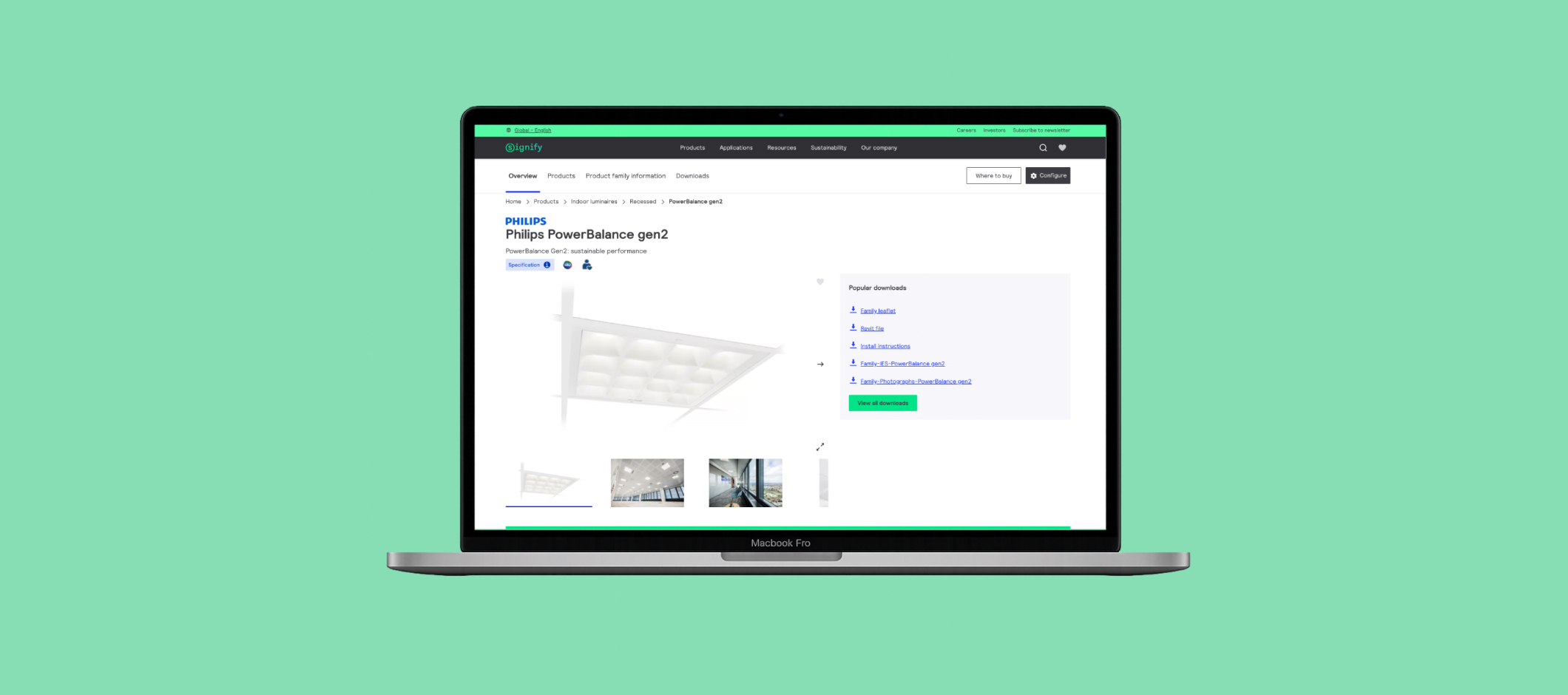
For these reasons and as a part of the redesing process of this key page, I made an accessibility autdit. As we knew, the backend behind catalogue pages was inherit from previous code strucutres, so the porpose was to analyze the issue related to design, but also issues related to HTML.
The main goal was to identify physical or digital barries that prevent o hinder the use of the page, main functionalities and key joruneys. It seeked to ensure compliance with WCAG 2.2, guaranteeing equal access, promoting inclusion and preventing legal risks.
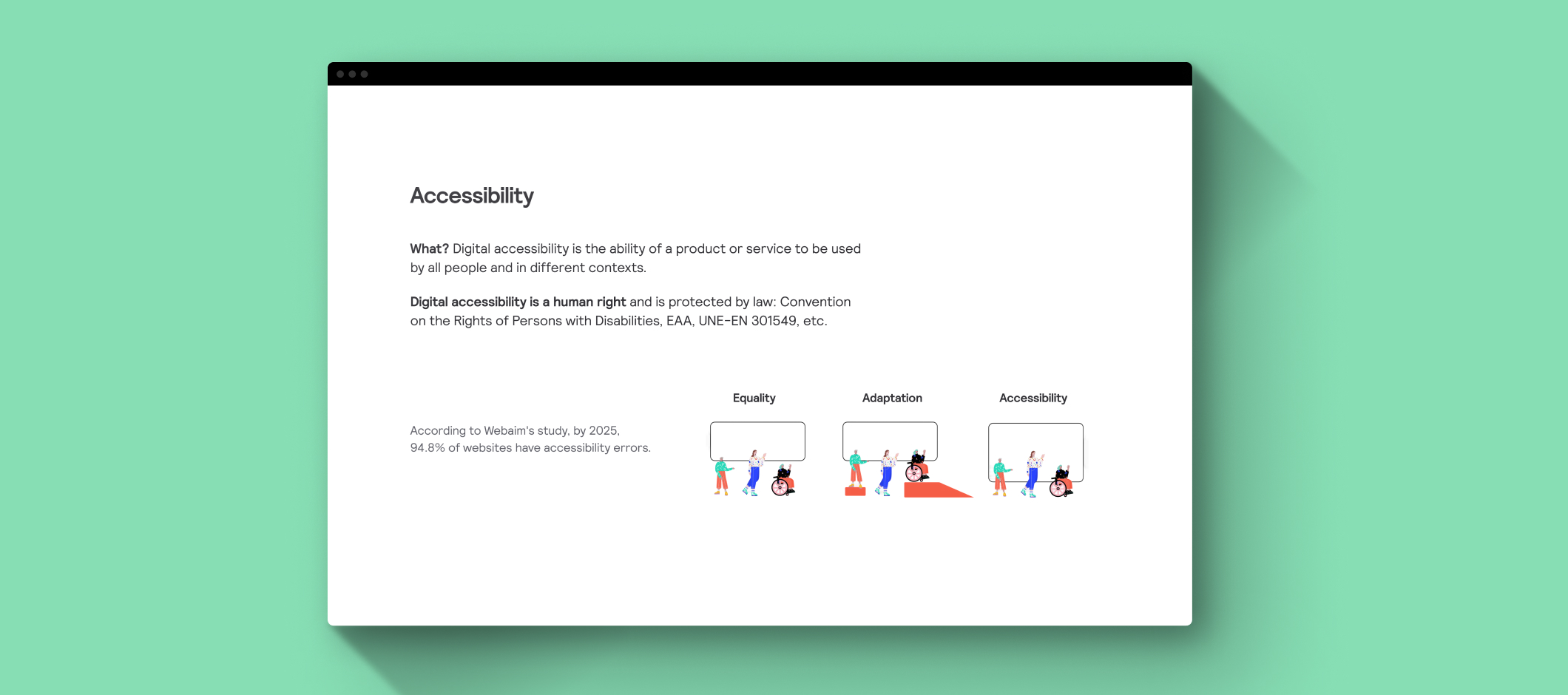
First step was to define methodology and scope for this audit:
- Scope: Signify.com product family page.
- Devices: Laptop and mobile.
- Browsers: Chrome and Firefox.
- Standard assesed: WCAG 2.2.
- Automatic tools: Axe DevTools, Lighthouse, WAVE, ARIA DevTools, Accessibility Insights, WCAG Color contras checker, Monosnap, Web disability simulator.
- Manual tools: Keyboard navigation, Screen reader, Contrast reviw, Zoom and responsive design, Content review.
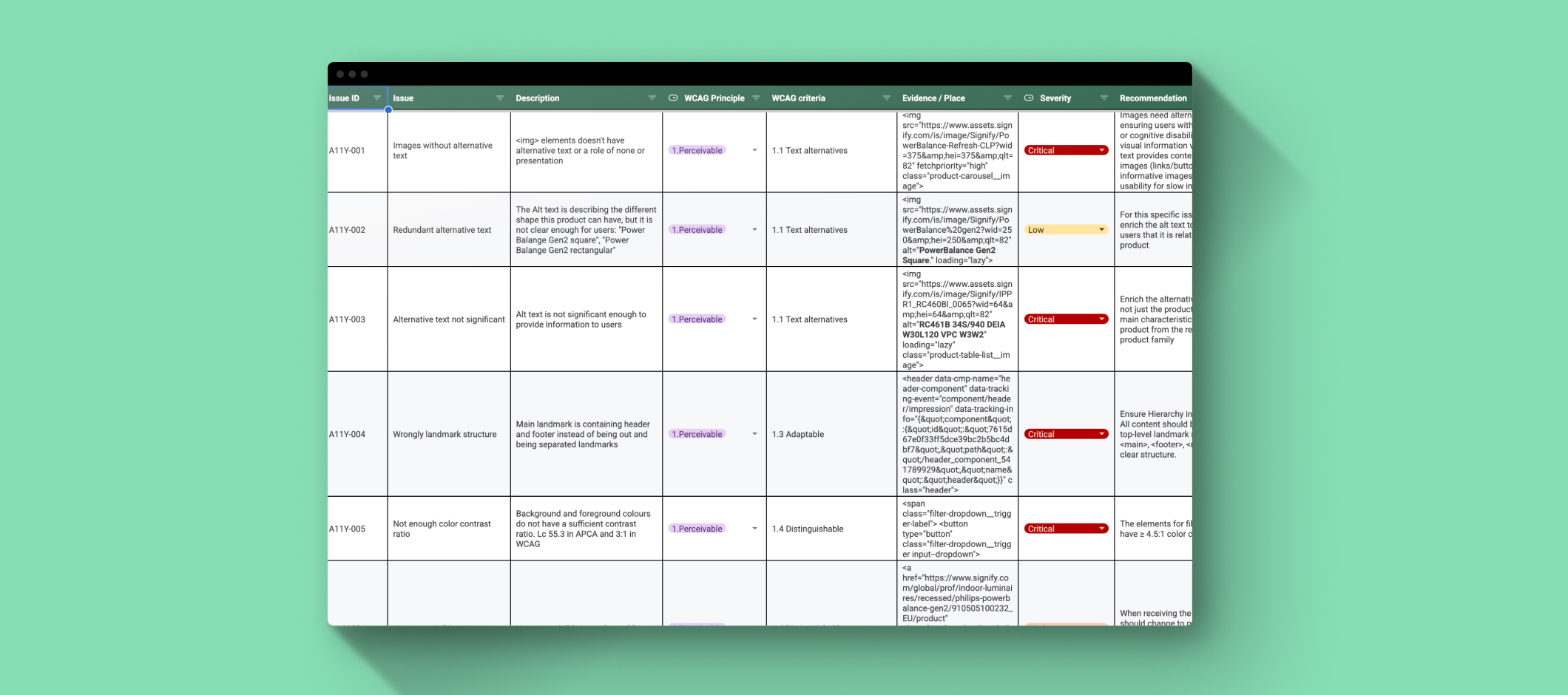
Based on the previous definition, I started the analysis. The main challenge was about how to structure the issues found in a way that was flexible enought to present to different actors within the team: design lead, produc owners, developers, etc. The approach was to be the most precise as possible and provide different attributes to the issues to be able to clasify based on different parameters:
- Issue: describe the issue in a clear and precise way. Issue needs to be understood by different team members and discipline so it is important to be clear.
- WCAG principle: stablish to wich WCAG principle belongs (Perceivavle, Operable, Understandable and Robust). I also added "best practice" for some scenarios out of the previous clasification. This attribute is a nice way to introduce WCAG basics to team members that are not familiar with digital accessibility.
- Evidence: ID or HTML element related to hte issue. It is important to provide "where" the issue is happening, especially if it is a common component present in different pages or areas.
- Recommendation: provide or suggest a recommendation to fix the issue following the WCAG criteria. The idea is to provide some basic recommendations to improve the current state, of course, there are some teams that can enrich it or even provide a better recommendation, for example SEO team for alt text.
- Priority: based on severity and effort. As a UX designer I gave a first value, but it is the product owner who assign the priority to each issue and reflect it accordingly on the backlog.
- Test: manual or automatic, specifying the tool (Lighthouse, Voiceover, etc). It is super important to specified how the issues was found to be able to be reproduced, especially for developers and QAs.
- User impact: wich user will be impacted to this issue. Consider the user impact part of the analysis is a way to strenght the human center perspective, but also a way to create and increase the empaty from team memebers to different kind of users.
I included all the issues and its attributes within an spread sheet:
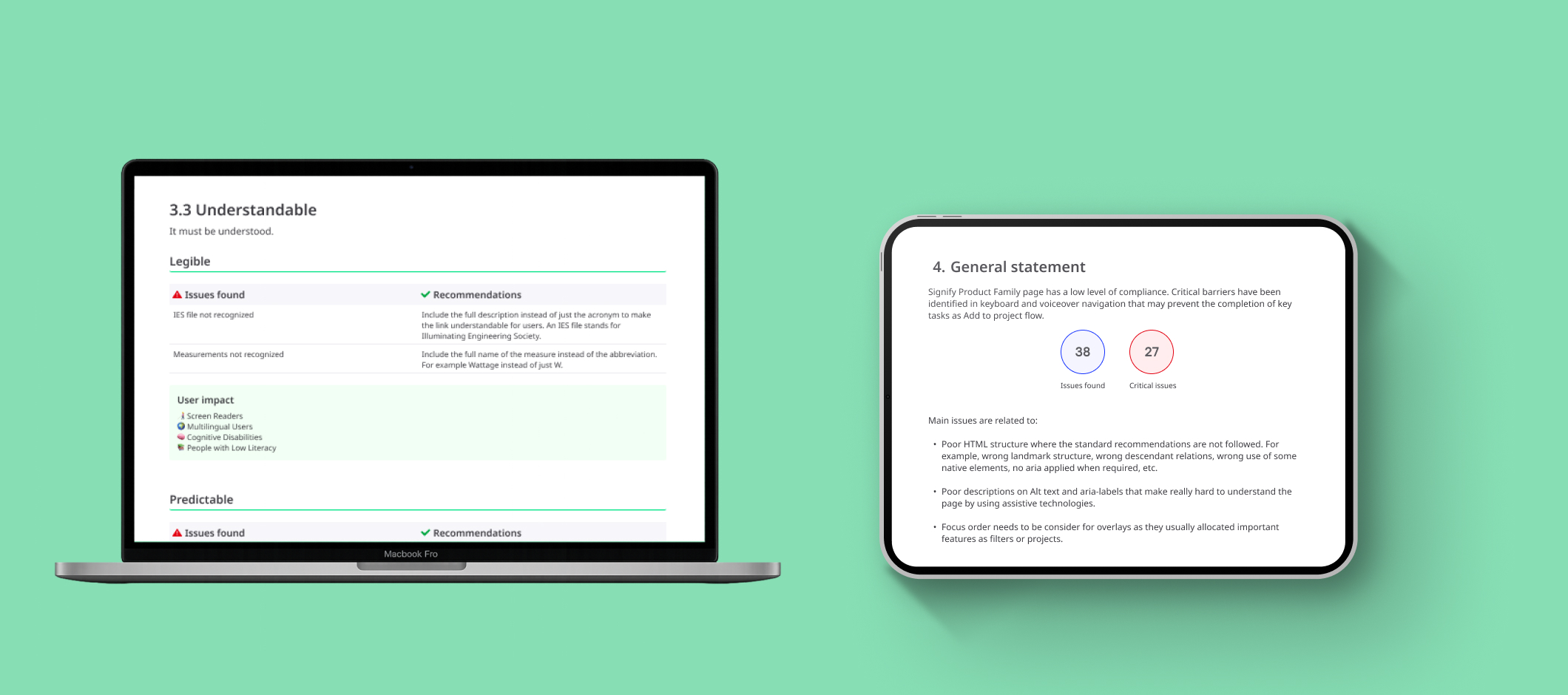
As an spread sheet is not the most attractive format to present results for some audiences, I ellaborate a report organized by WCAG principle where I summarize the main issues found, and provided a general accessibility score and statement based on the analysis:
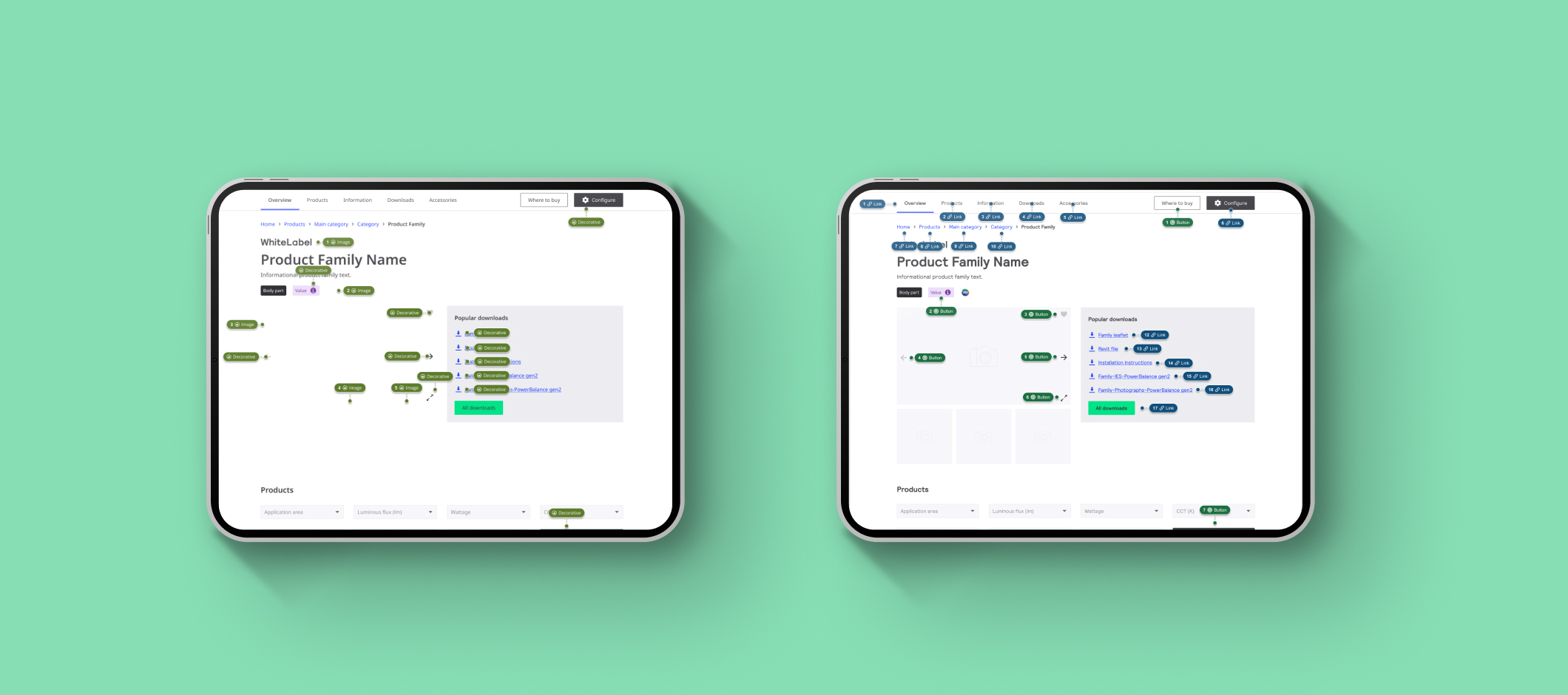
In addition, accessibility anotations were delivered to guide the required improvements to be implemented by stablish the basic key elements each page must have to accomplish with the standards.
One of the personal goals of this audit was to try to integrate accessibility as part of the workflow in an organization that didn't consider it as a priority. It is a huge challenge in big companies to convince stakeholders about the important of accessibility and how with some small fixes we have so much room for improvement. From UX team we are focused on covering all the specific issues related to design and user experience as contrast color, touchable areas, etc. What this audit reveal, was that most of the required solutions are easily achievable by incorporating basic good practices during the workflow, for example a solid an standar HTML structucture by cleaning the code, or enrich product descriptions when catalogue teams mass upload the different product files. Accessibility is always good for all, so it worth it to work for it. Let's do it!