Lighting configurator
Signify Nov 2024
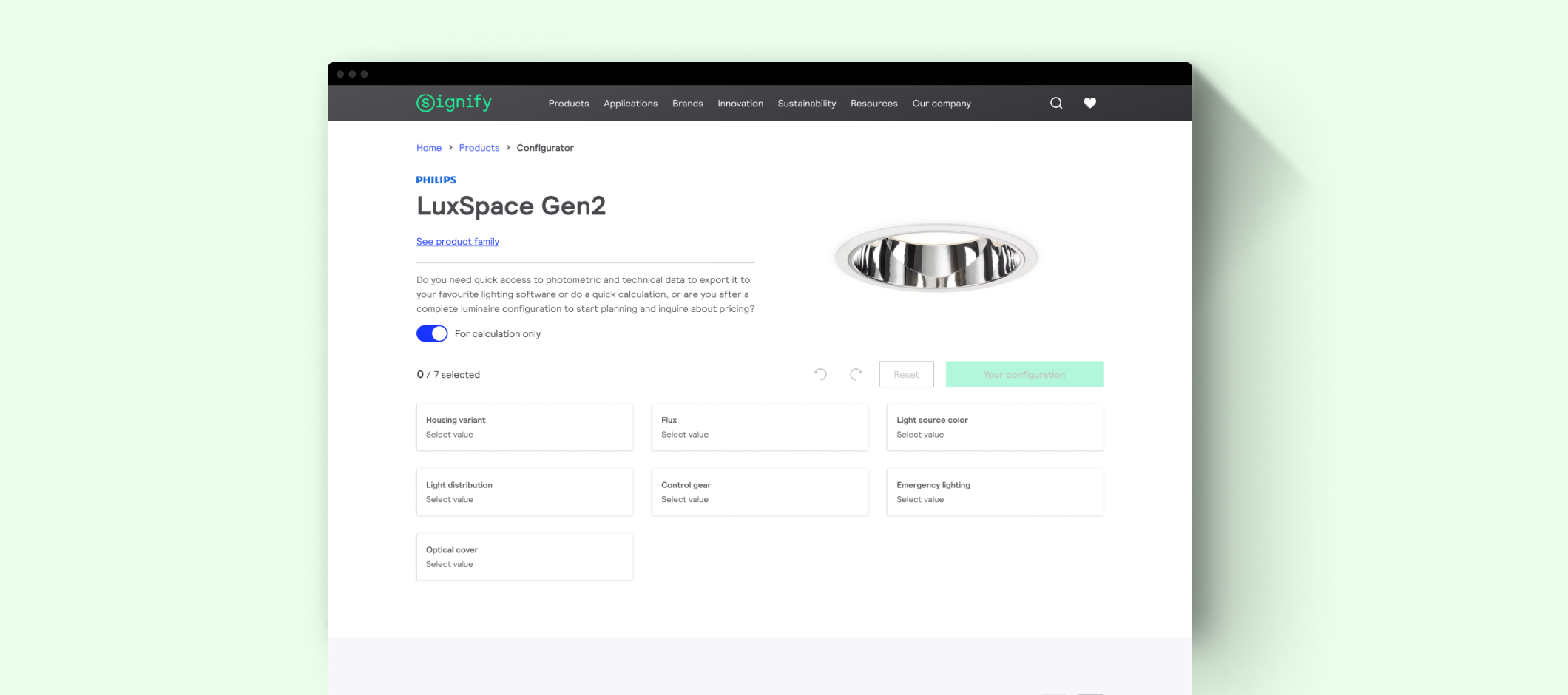
A professional lighting tool that allows specifiers or lighting designers to configure a luminaire from scratch to achieve the desired photometry, request a quote, or start a light calculation.
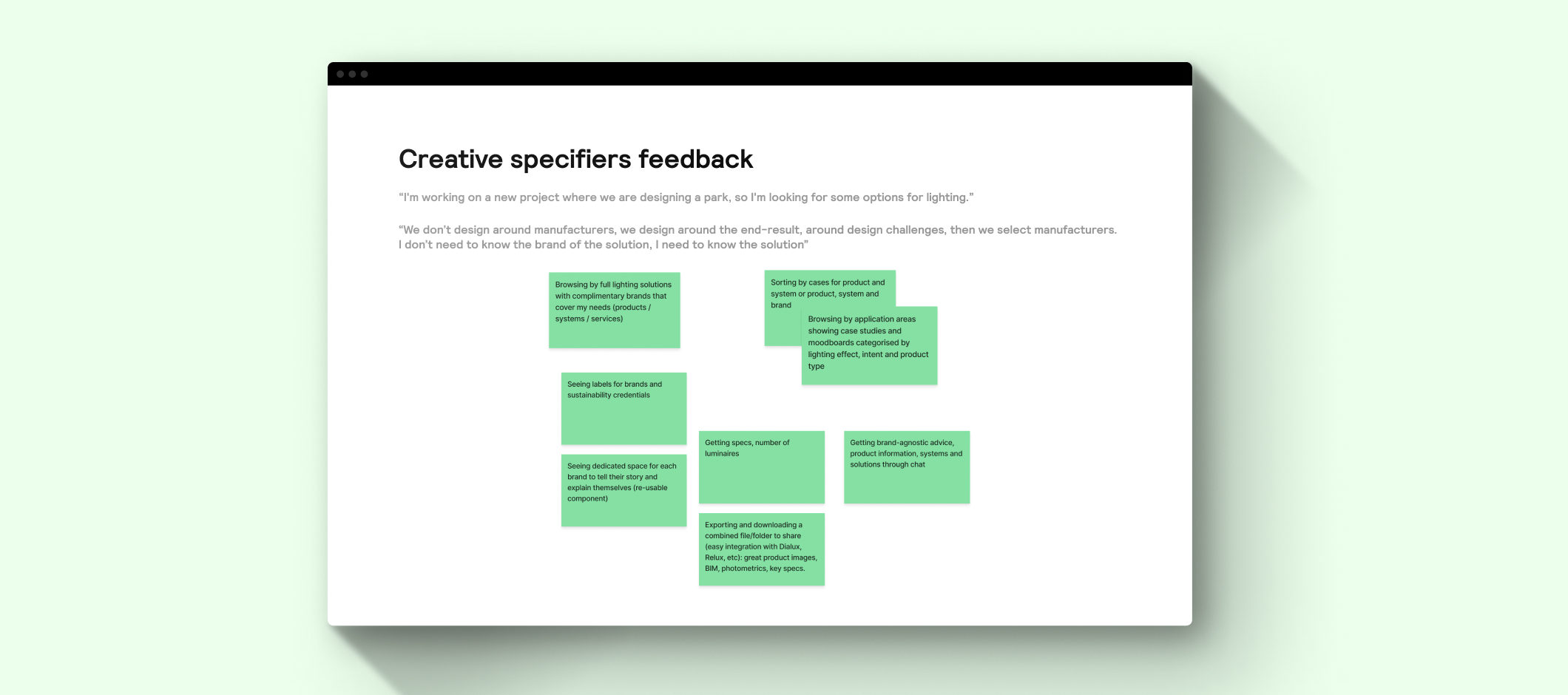
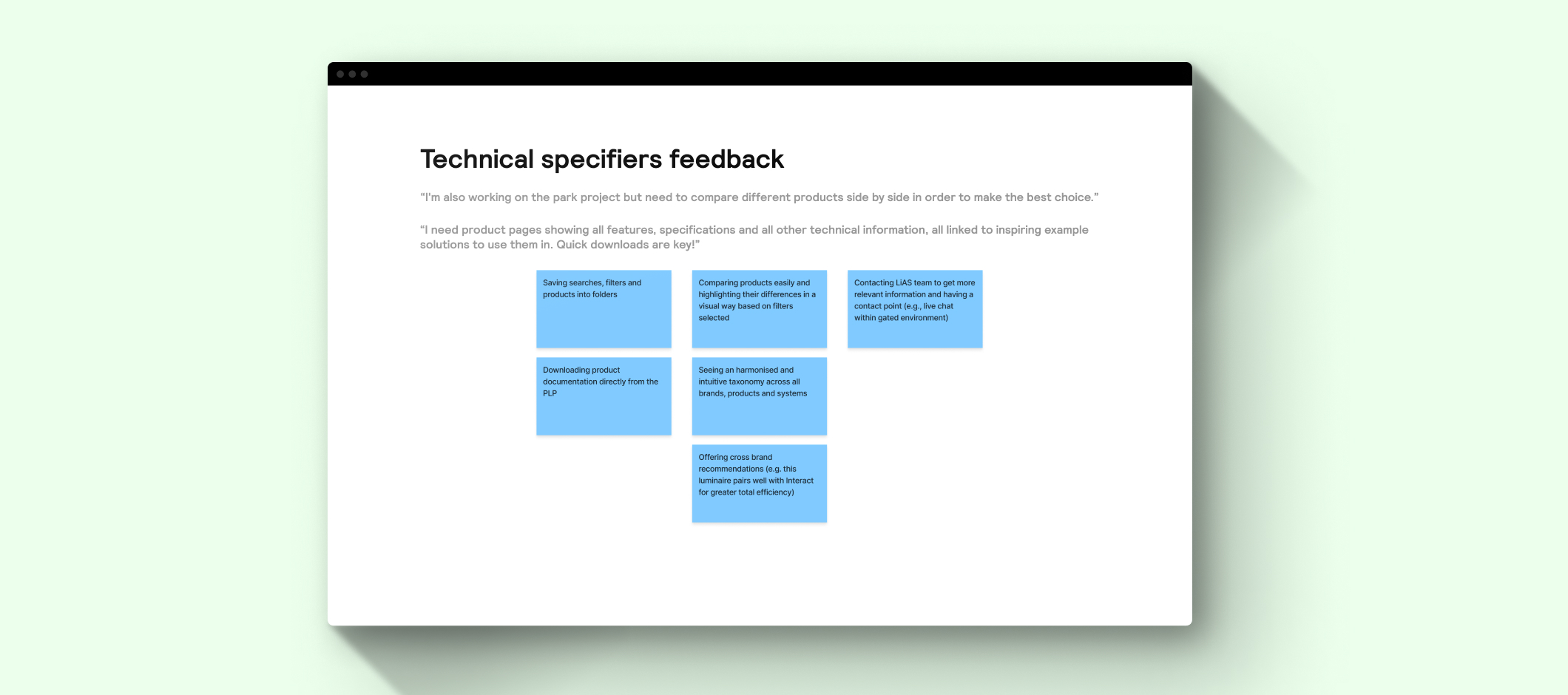
The configurator tool is focused on specifiers needs, but it doesn't mean it can't be useful for other professional roles. To start, we made several rounds of users interviews to understand how is to lead and develop a lighting project, and what is required in each part of the process.
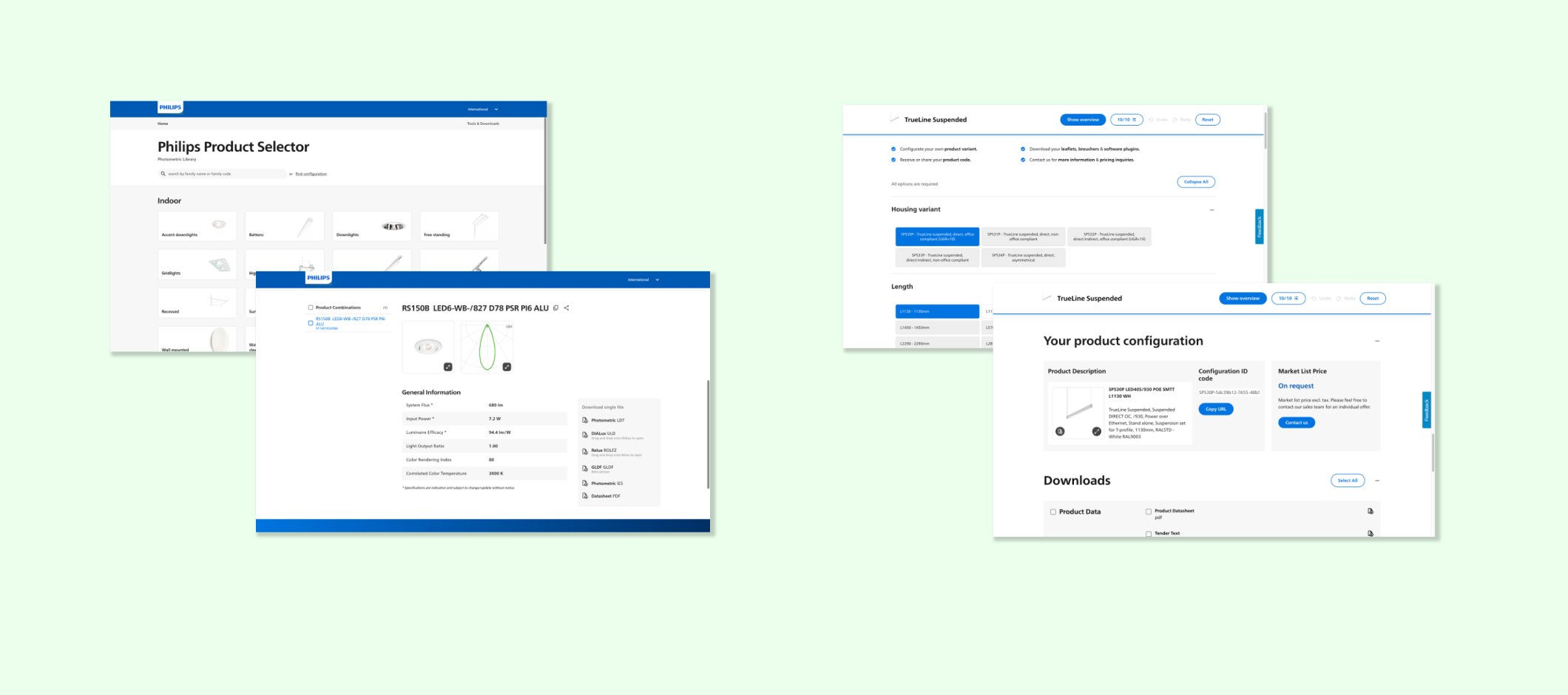
There was also a main issue they experimented with in the current user journey Signify was offering: there were huge jumps between the different tools they needed to work in their projects, which means that journey was a bit broken from the user experience point of view. So the scope was also to think about how to make it smoother and friendly, not just from the design side, but also from the data one. During the process of woking in a lighting project, our adience use two main tools offered by Signify:
- Product selector: photometric library where the users can get and download the photometric data of our products to be able to make different light calculations, projects, etc.
- Online product configurator: tool that allow the users choose between different parameters available to set the products according to their needs.
After analyzing the tools and the user feedback we got the key aspects the new tool must include:
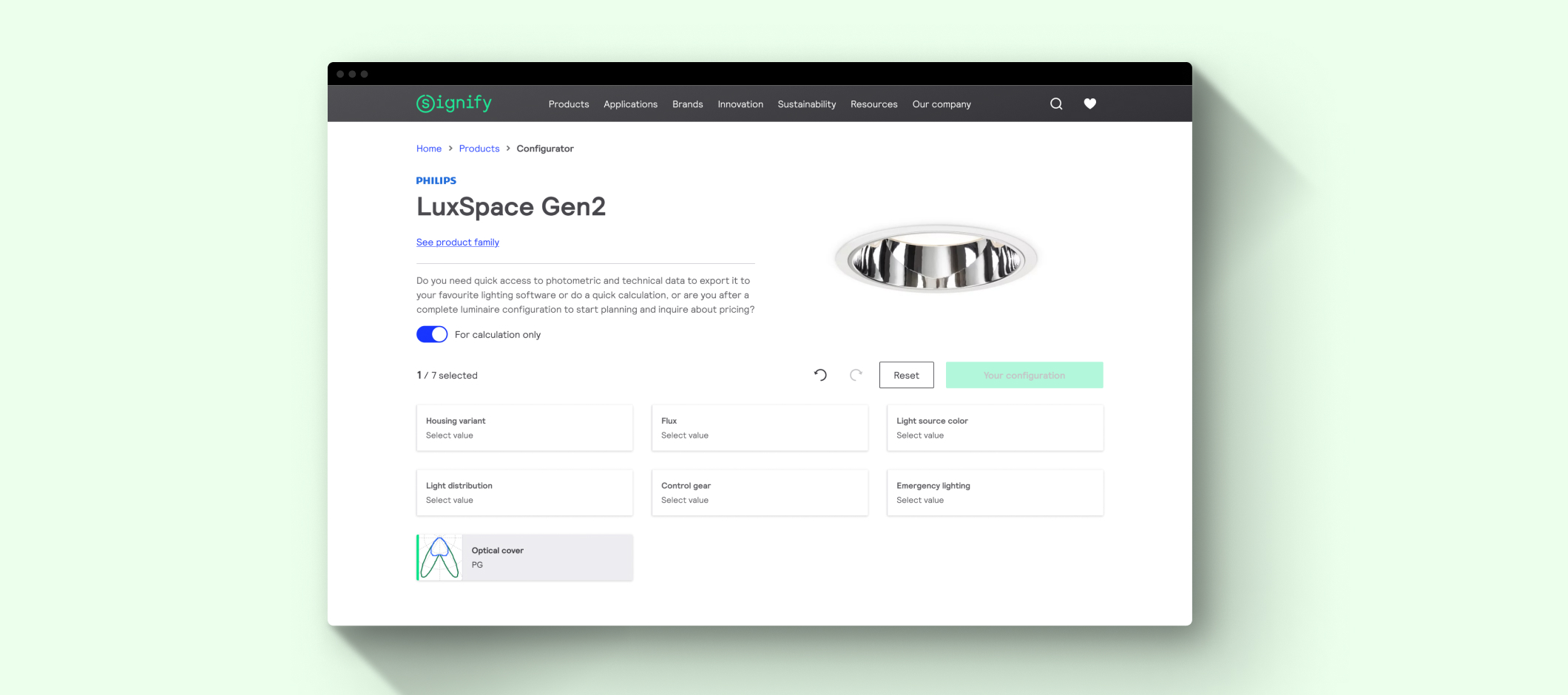
- Enough flexibility to allow photometric and full configurations: sometimes the users just need the photometry to make quick light calc and test different products, but in other scenarios they need to be more precise, for example, to build a bill of material. So, essentially, we needed to work with two different levels of configuration.
- Non-sequential: one aspect we saw in the competitors is that the configuration process was, most of the time, a sequence of different steps. The challenge here was to offer a flexible and non-sequencial layout so the users can configure first the parameter they want, especially because as we mentioned this tool could be used by others roles that maybe are not so knowledge as the specifiers (installers, for example), so there could be moments where they dont know what selects. This, in a linear process, could be a pain point for users.
- Shearable: Another main point to consider is that the user not just use a configuration to themselves, it is sually shared as they work with different people within the same project. That means the layout also need to present the paramitazion selected in an easy and understandable way, so the users can see the values of that configuration in the first view.
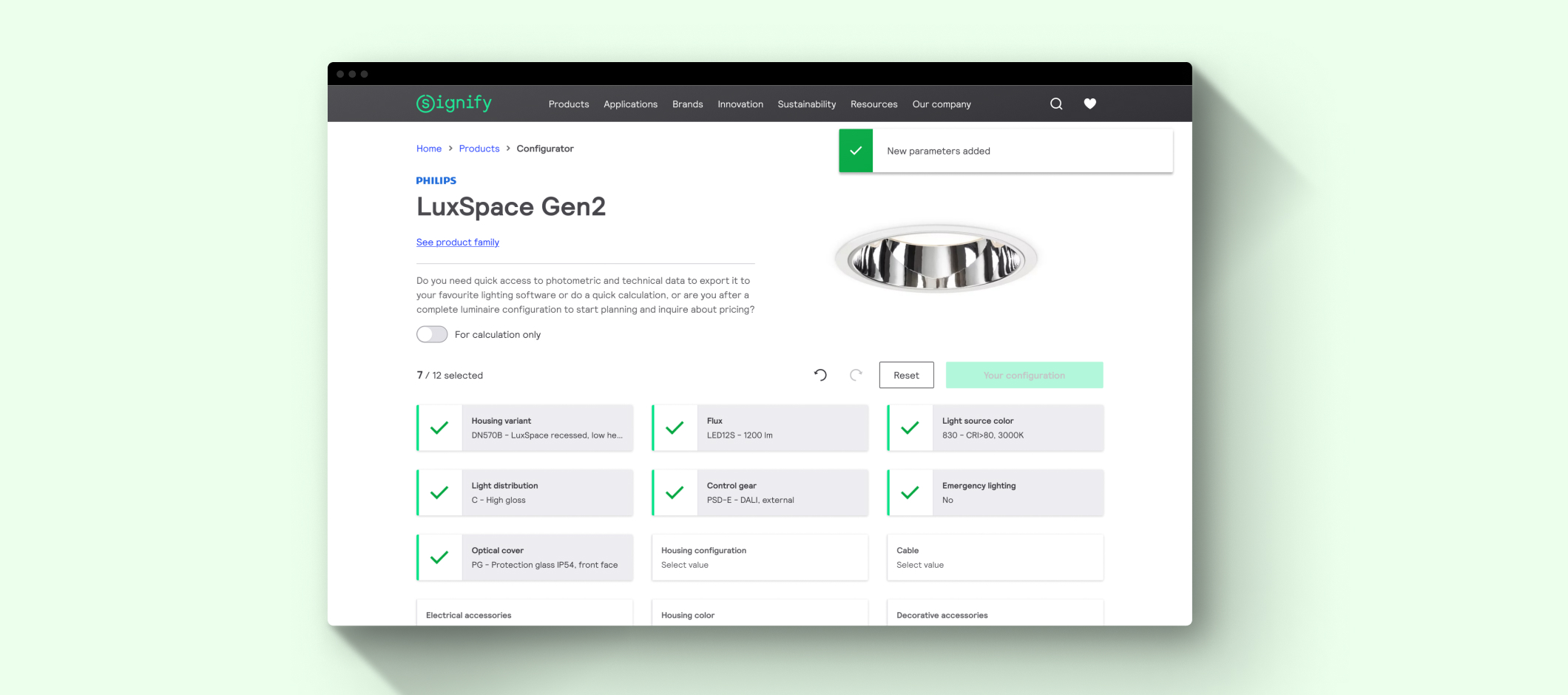
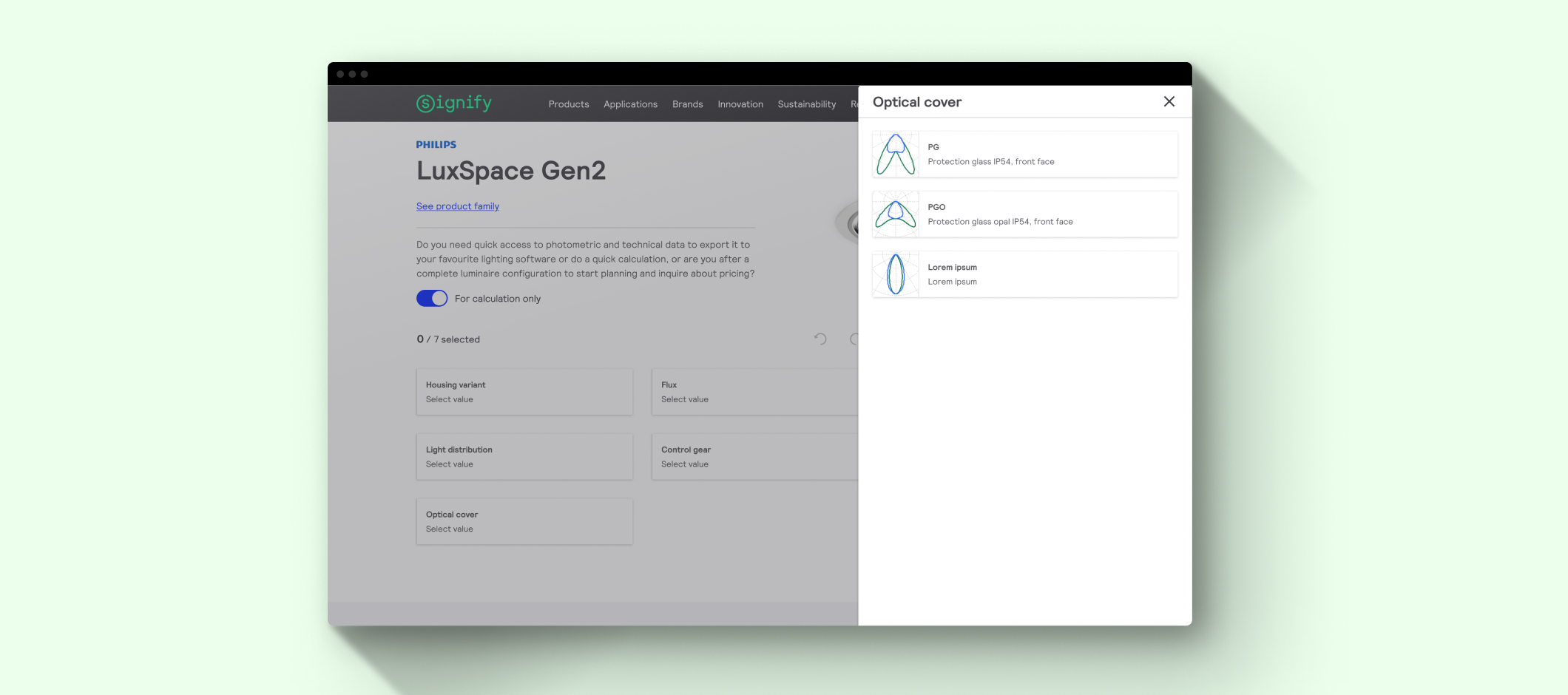
Taking this into account, and after several back adn forwards, we finnaly presented a layout where the the user made selection within an overlay, and then that parameters and option selected is populated in the general page.
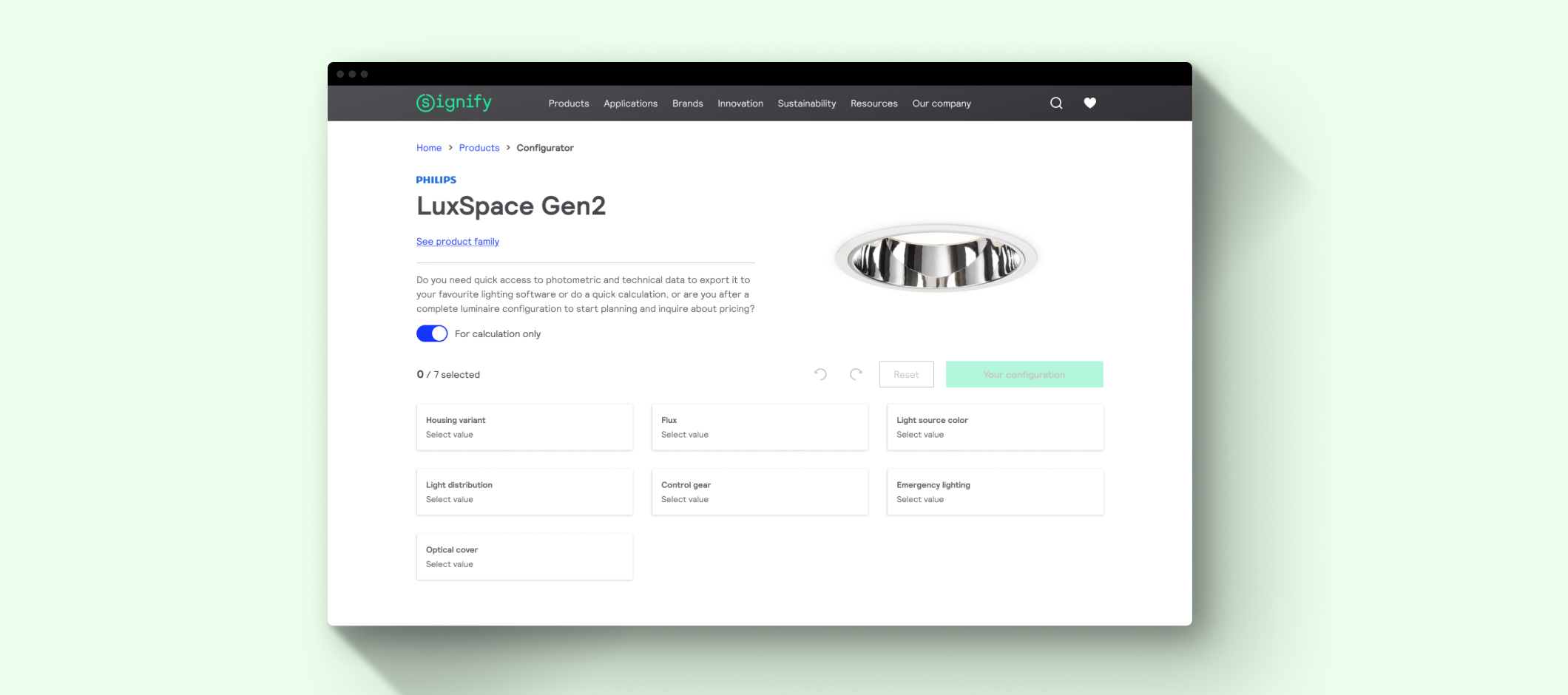
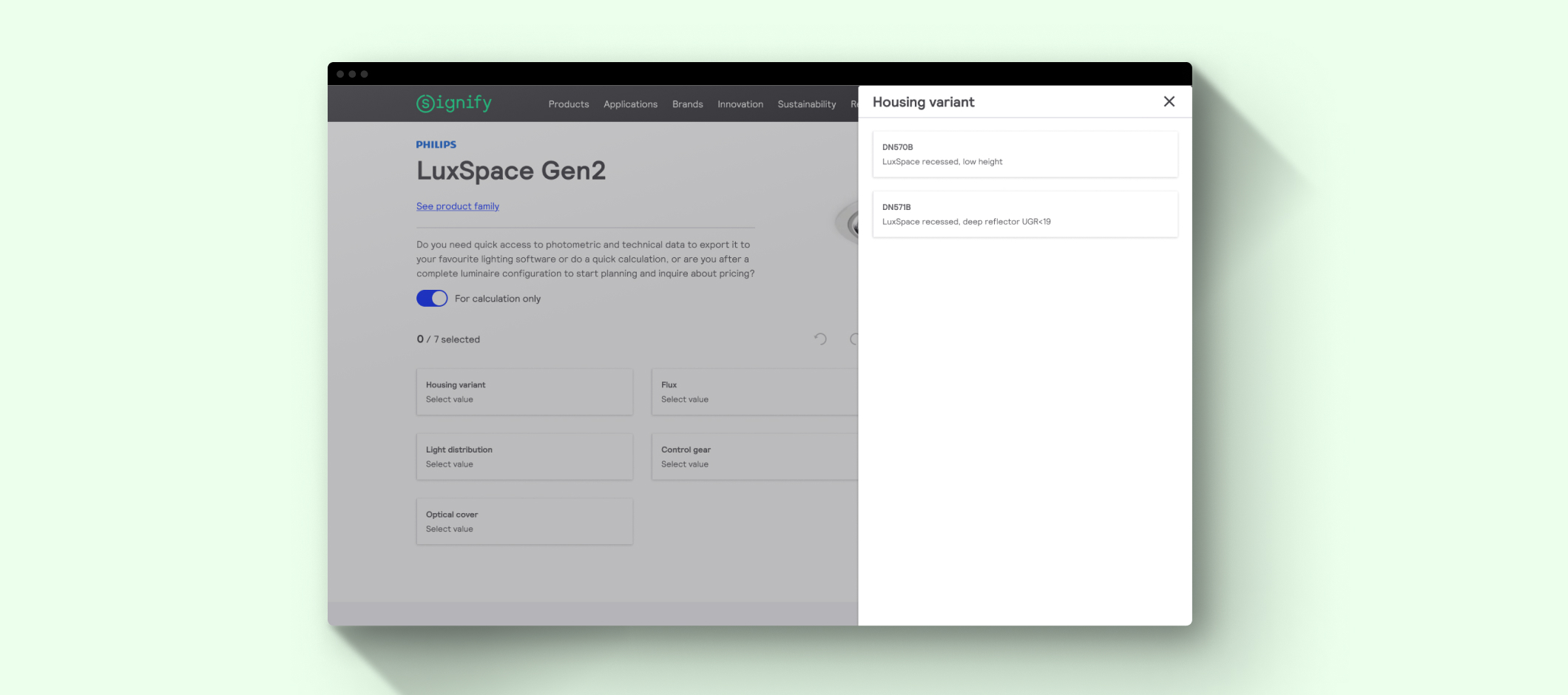
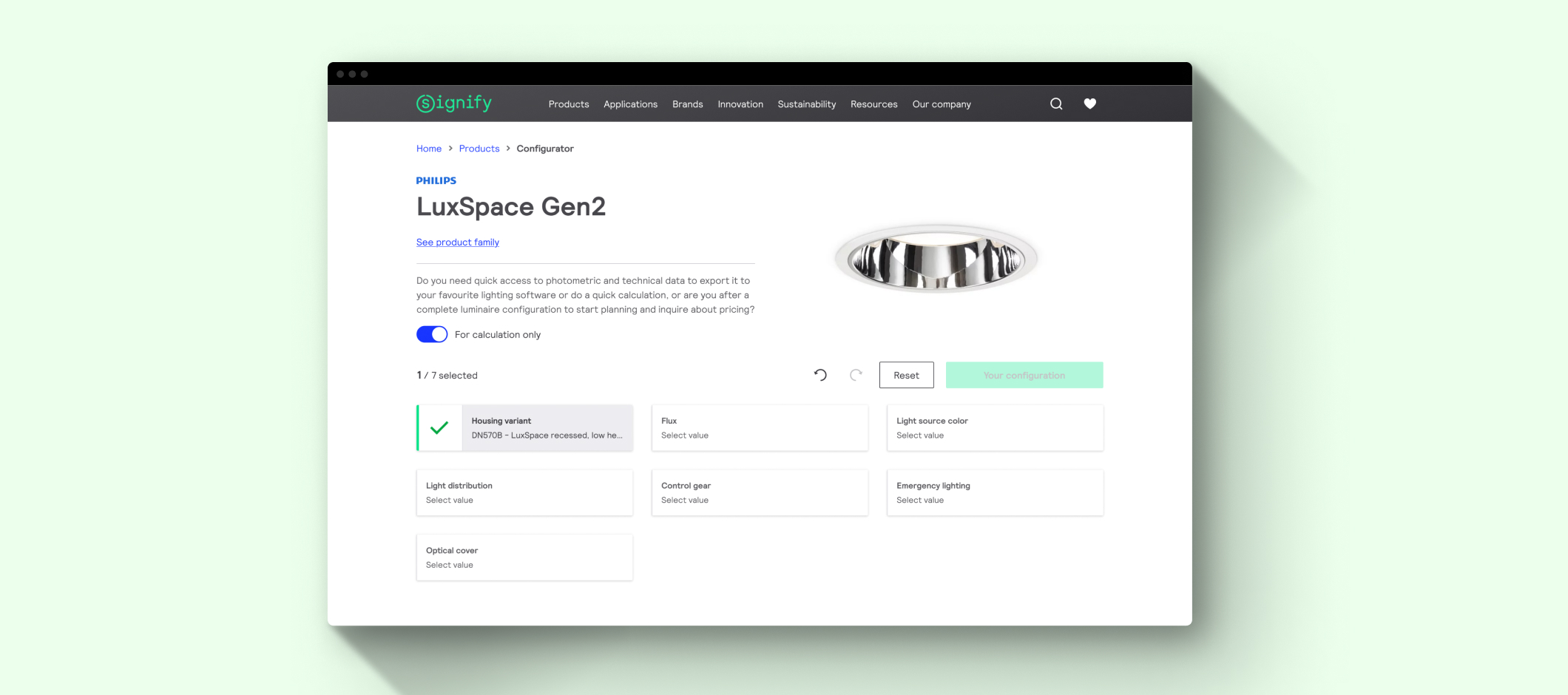
During the selection process, we also considered the force selection scenario where one parameter previously selected change due to the current selection the user made. In this point was important to remark which were the options that create that force selection, something that the previous tool didn't consider.
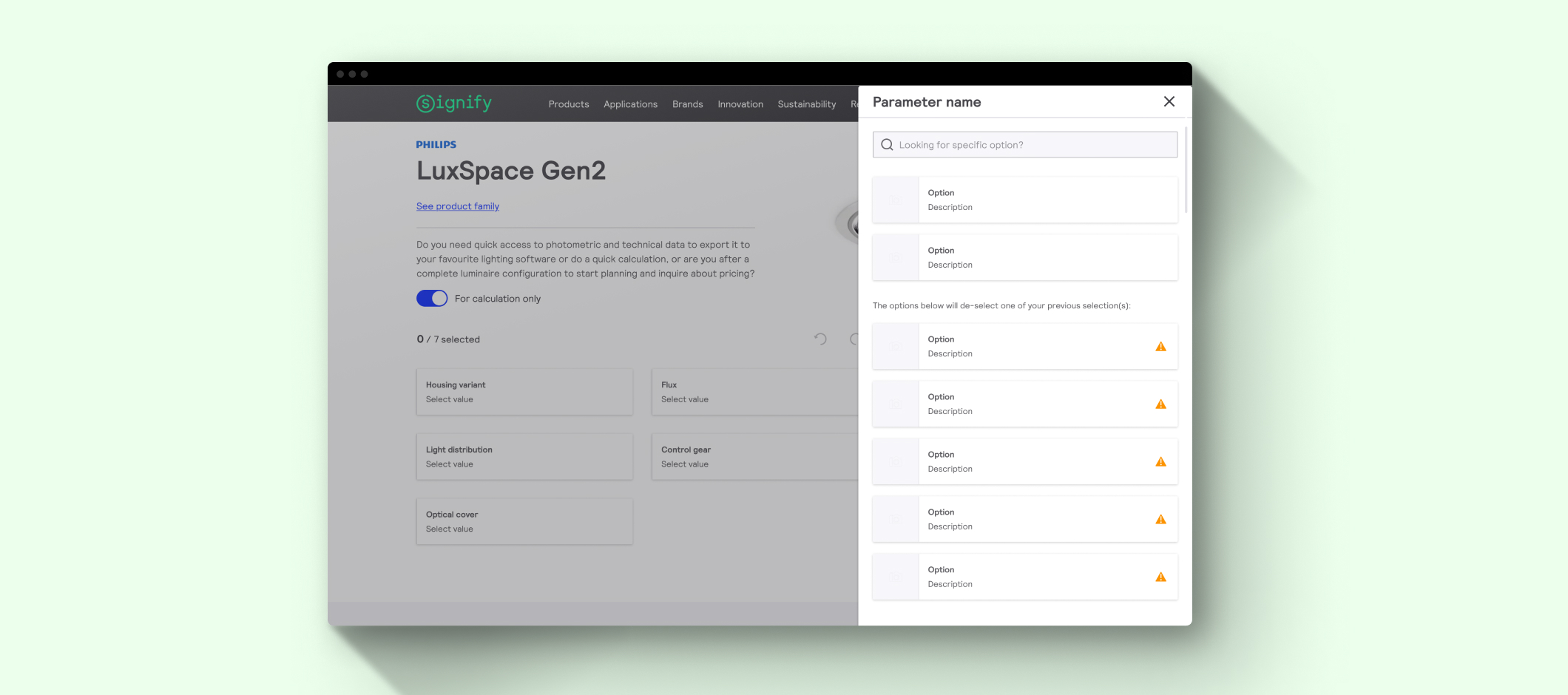
Once the users fill all the parameters, the configuration is ready, so the user can download the product files according to that configuration, share it and make a light calc as they get the photometry as a result of the process.
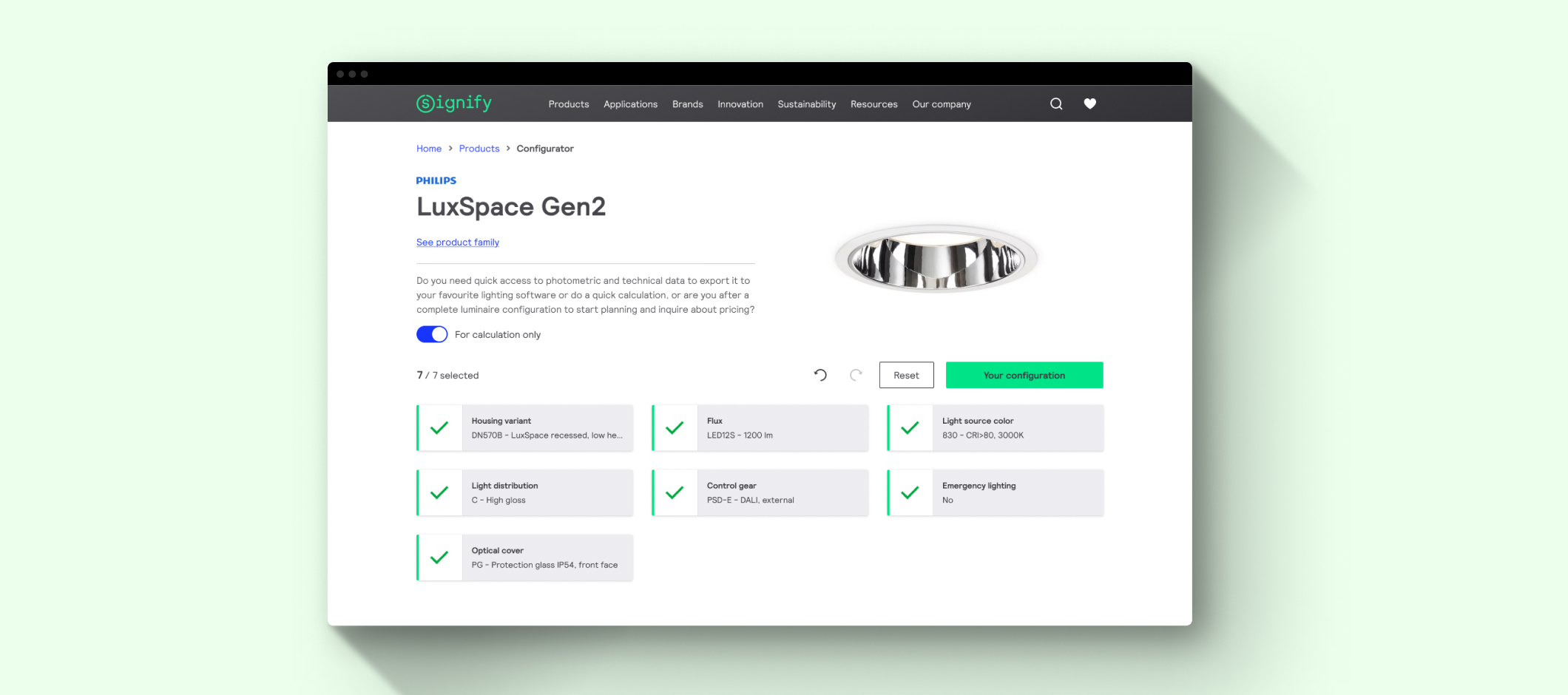
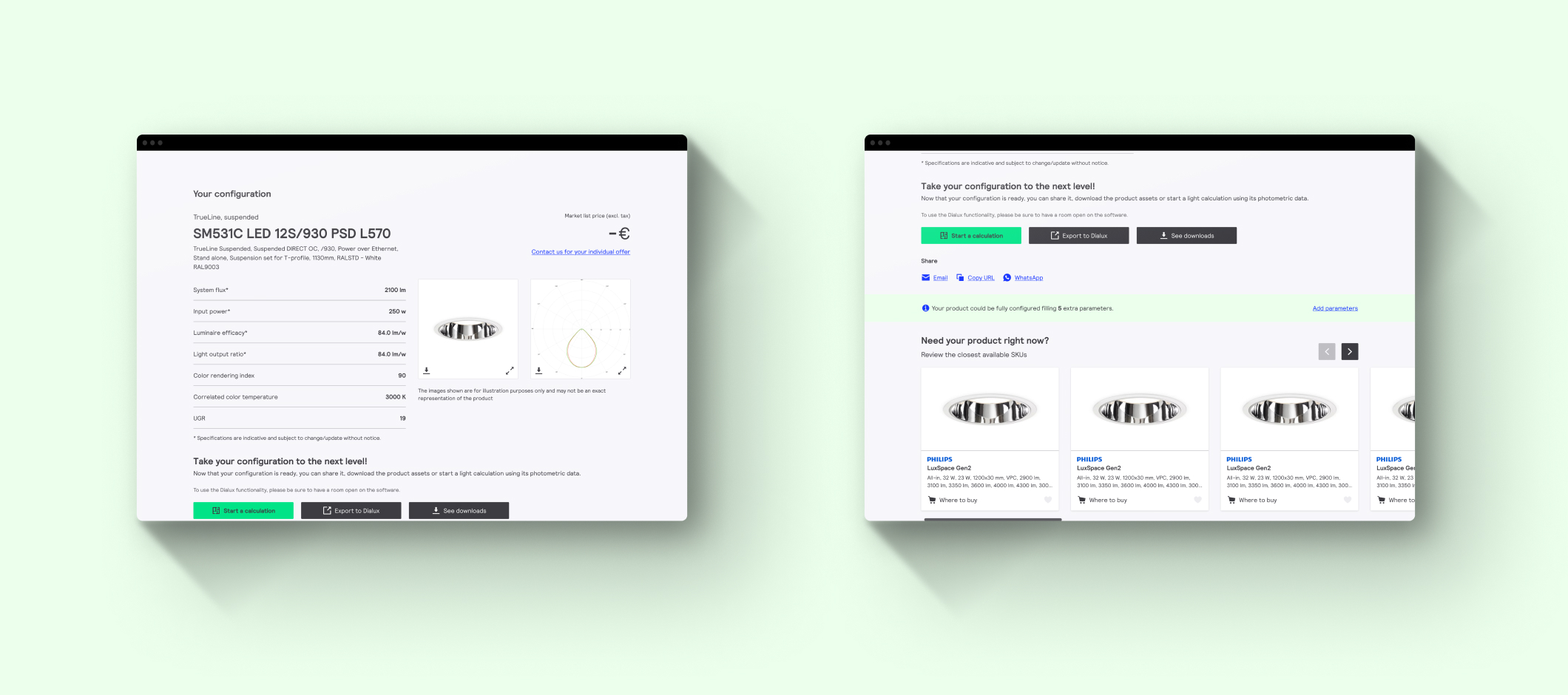
The level of configuration is managed by the toggle, and the users can move from photometry to full configuration in any moment, even if they already get the result.
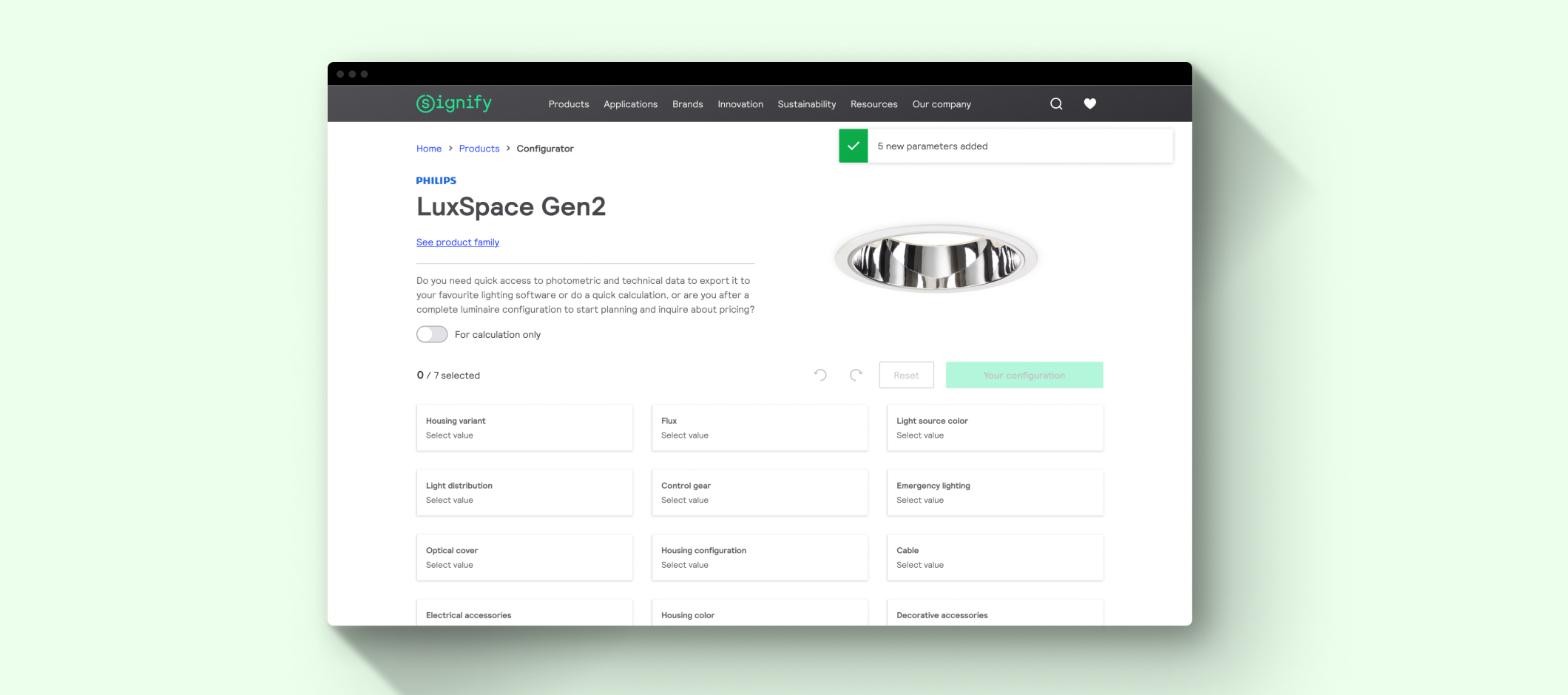
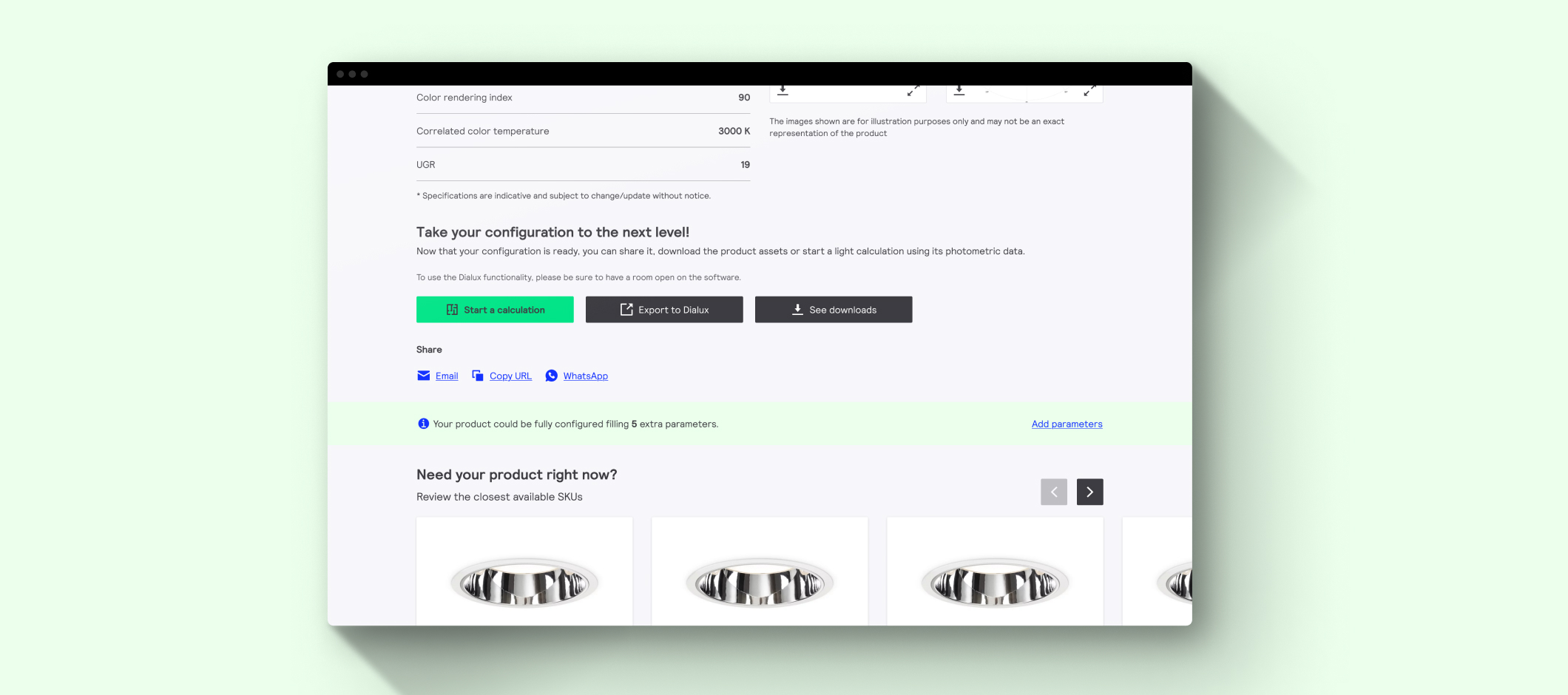
The next steps for this tool is to integrate with other lightin professional tools (light calculator) or software (Dialux, etc.), and implement the graphic support for the options, so the users will have more context about the selection they are making.
Contact
Let's keep in touch!